
For a salon, coaching centre, consultant or repair service, the result that matters from an ad is not a click. It is a booked appointment. Google Ads now explains how to measure exactly that in one place: the Google Ads Book Appointment conversion goal.
Google has substantially rewritten its old “Partner bookings” help page and renamed it “About the Book Appointment conversion goal”, as Search Engine Land and Search Engine Roundtable reported on 24 November 2026. Both note that this is an updated document, not a brand-new feature launch, so some of these options may already be in your account. Below is what the page says, in plain language, and what to do about it.
What the Book Appointment conversion goal is
In Google’s words, the goal “helps you measure and optimize campaigns to drive scheduled appointments, reservations, and service bookings.” All your appointment-related conversion actions are grouped under one “Book Appointment” goal on the Summary page in the Goals menu of Google Ads.
Google lists four benefits on the help page:
- Optimise for real outcomes: Smart Bidding strategies such as Maximize Conversions, Target ROAS or Target CPA can prioritise people who are ready to book, “rather than just clicking on your ad.”
- Count bookings on every route: on your website, through a third-party scheduling partner, or over the phone.
- Direct “Book” buttons: if you use an eligible third-party booking partner, your ads can show buttons such as “Book”, “Schedule” or “Reserve” that go straight to your booking page.
- One report: all appointment conversion actions sit under a single goal.
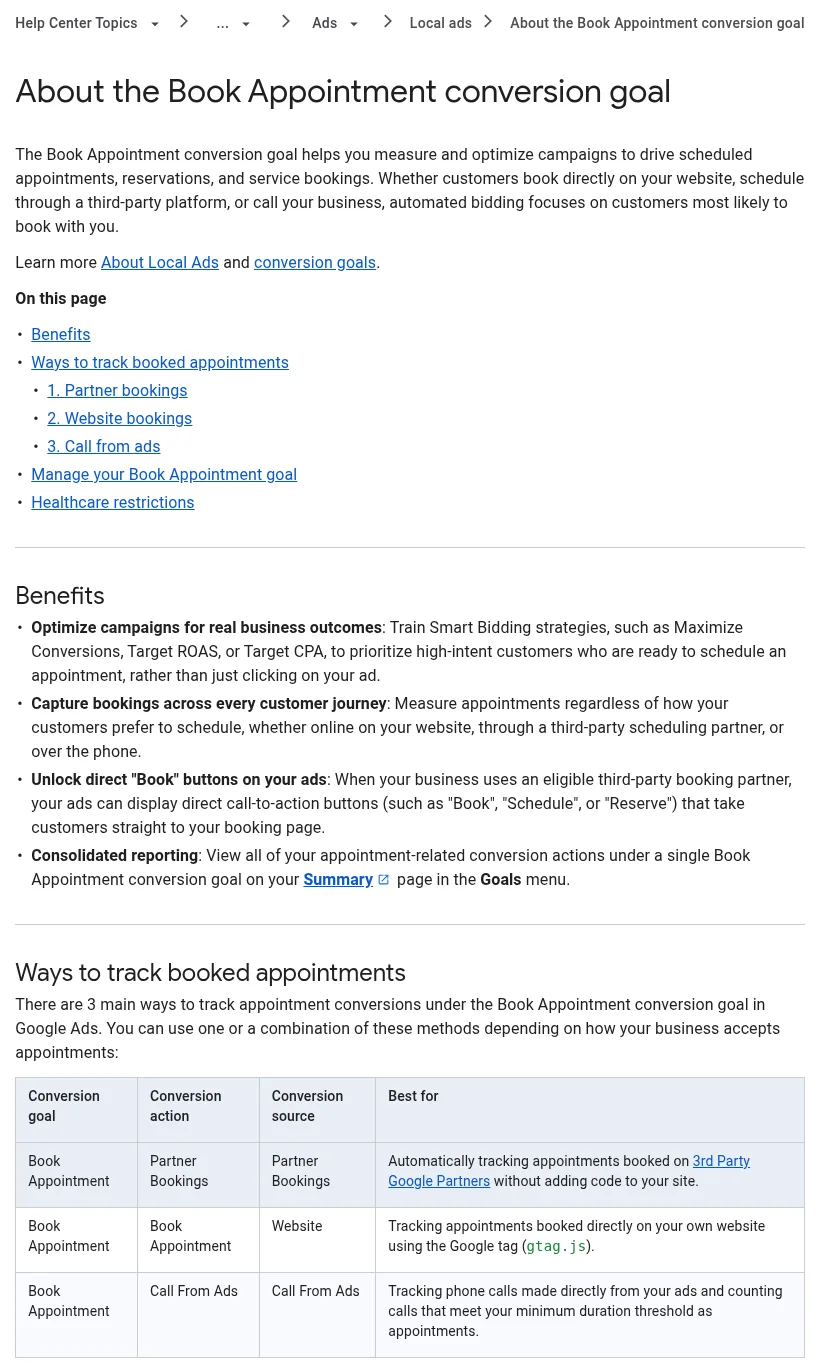
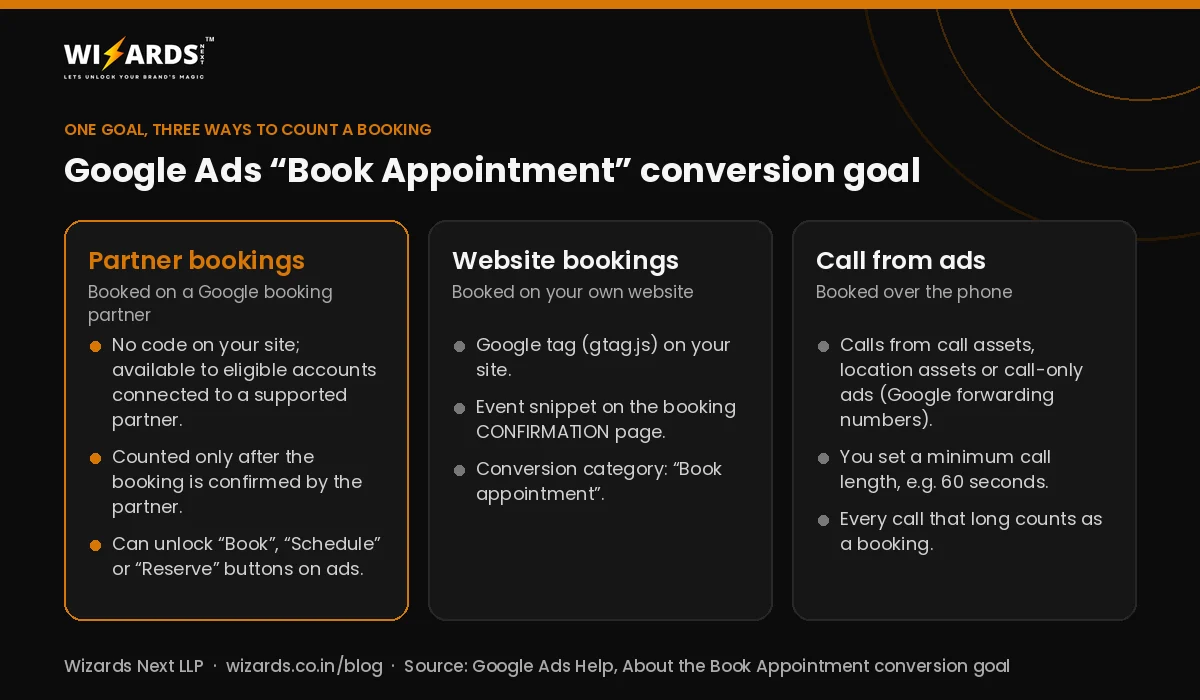
The 3 ways to track a booked appointment
Google says you can use one of these methods or a combination, depending on how your customers book.
1. Partner bookings
If you use scheduling software or a CRM that integrates with Google, the Partner Bookings conversion action measures appointments booked on Google’s third-party partners automatically. There is no tag to add and no opt-in: it is “automatically available to eligible accounts connected to a supported partner.” Google calls it more reliable than tag-based tracking because the conversion is sent only after the appointment is actually booked. If your booking partner is not yet integrated, Google says to ask them to fill in the Reserve with Google interest form.
2. Website bookings
If people book on your own website, you install the Google tag (gtag.js) and add an event snippet to your appointment confirmation page. You create it through Google’s normal web conversion setup and choose “Book appointment” as the conversion category. Google notes this method needs manual setup.
3. Call from ads
If most bookings happen on the phone, Google Ads can measure calls from your call assets, location assets or call-only ads using Google forwarding numbers. You set a minimum call duration (Google’s example is 60 seconds), and every call at least that long counts as a booked appointment conversion.
The catch: healthcare campaigns can’t use it
The help page is explicit: “Google Ads doesn’t allow appointment booking links or goals for healthcare campaigns. While healthcare advertisers might find the appointment booking goal option in their account, they shouldn’t select or use it.” As Search Engine Land puts it, the option appearing in your account does not mean a healthcare campaign is eligible.
So if you run ads for a clinic, hospital or doctor, keep measuring with other conversion actions and follow Google’s healthcare ad policies. Our page on healthcare digital marketing explains how we approach marketing for doctors.
How to set it up: 5 checks
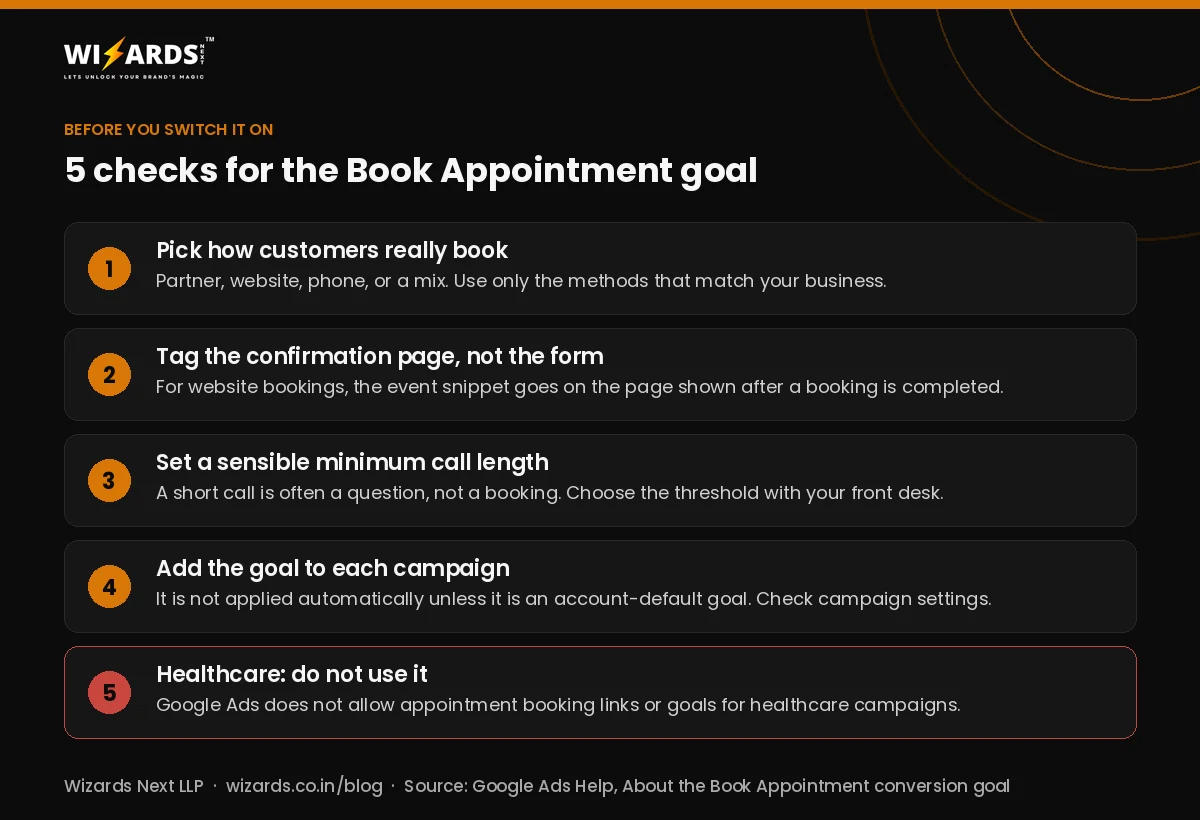
- Pick the methods that match how customers really book. Partner, website, phone, or a mix. Don’t add methods you don’t use.
- For website bookings, tag the confirmation page, not the form page. Otherwise you count people who opened the form, not people who booked.
- Choose the minimum call length carefully. Search Engine Land advises telling a confirmed appointment apart from a phone call that may not turn into a booking. Ask whoever answers your phone how long a real booking call usually takes.
- Add the goal to your campaigns. Google warns the goal “isn’t automatically applied to individual campaigns unless set as an account-default goal.” Add it when you create a campaign, or edit an existing one.
- Review the actions in Goals → Summary. Choose “All conversions”, tick an action (Partner Bookings, Book Appointment or Call From Ads), then use Edit to enable or remove it.
If you already measure leads with the Meta pixel as well, keep the two separate in your reports; our post on Meta pixel conversions on customer devices covers that side. And once real bookings are flowing in, check that you are not paying for junk clicks with Google’s invalid traffic overview card.
What this means for a local service business
Most small businesses we speak to judge their ads on calls and bookings, not clicks. This update doesn’t add a magic button, but it gives a clear, official way to tell Google Ads what a good result looks like, so Smart Bidding can aim for it. Start with the method that matches how your customers already book, check it for a couple of weeks, and only then let bidding optimise for it.
If you want help setting up conversion tracking or running your campaigns, see our Google and Meta ads management service or our digital marketing agency in Varanasi page. You can also book a free call with our team.
Frequently asked questions
What is the Google Ads Book Appointment conversion goal?
It is a conversion goal that groups your appointment-related conversion actions so Google Ads can measure and optimise campaigns for scheduled appointments, reservations and service bookings. You find it under Goals → Summary in Google Ads.
What are the three ways to track booked appointments?
Partner bookings (bookings made on a supported third-party booking partner, no code needed), website bookings (Google tag plus an event snippet on your booking confirmation page) and calls from ads (calls from your ads that last at least a minimum duration you set).
Is the Book Appointment goal applied to my campaigns automatically?
No. Google says it is not applied to individual campaigns unless it is set as an account-default goal, so add it when you create a campaign or edit existing campaigns.
Can clinics and doctors use the Book Appointment goal?
No. Google Ads does not allow appointment booking links or goals for healthcare campaigns. Even if the option appears in a healthcare advertiser’s account, Google says they should not select or use it.
Sources
Written by Ravi Khetan, Founder, Wizards Next LLP, a digital marketing agency in Varanasi. About us