
If you run Google Ads for a clinic, a coaching institute or a shop, you have probably asked at some point: “How many of these clicks were real?” On 12 November 2026 Google started rolling out a new Invalid Traffic Overview Card in Google Ads that answers part of that question. In the announcement on the Google Ads & Commerce Blog, Keerat Sharma, VP & General Manager, Ads Privacy and Safety, writes that “for the first time, businesses can see both the amount saved and the credits we automatically provide for invalid activity in Google Ads.”
This post explains what Google counts as invalid traffic, what the two numbers on the card mean, and what to check in your account. It is based on Google’s own announcement and Google Ads Help, plus reporting from Search Engine Journal and Search Engine Roundtable.
What Google announced on 12 November 2026
Google says it has always filtered invalid traffic in the background and does not charge advertisers for it. What is new is that the savings and credits are now shown up front, in one place, on the Overview page of your account. Google also says that so far in 2026 it has “reduced advertiser exposure to invalid leads by an average of 30%” through system upgrades. Google does not give a baseline for that figure, so treat it as Google’s own claim rather than something you will see in your account.
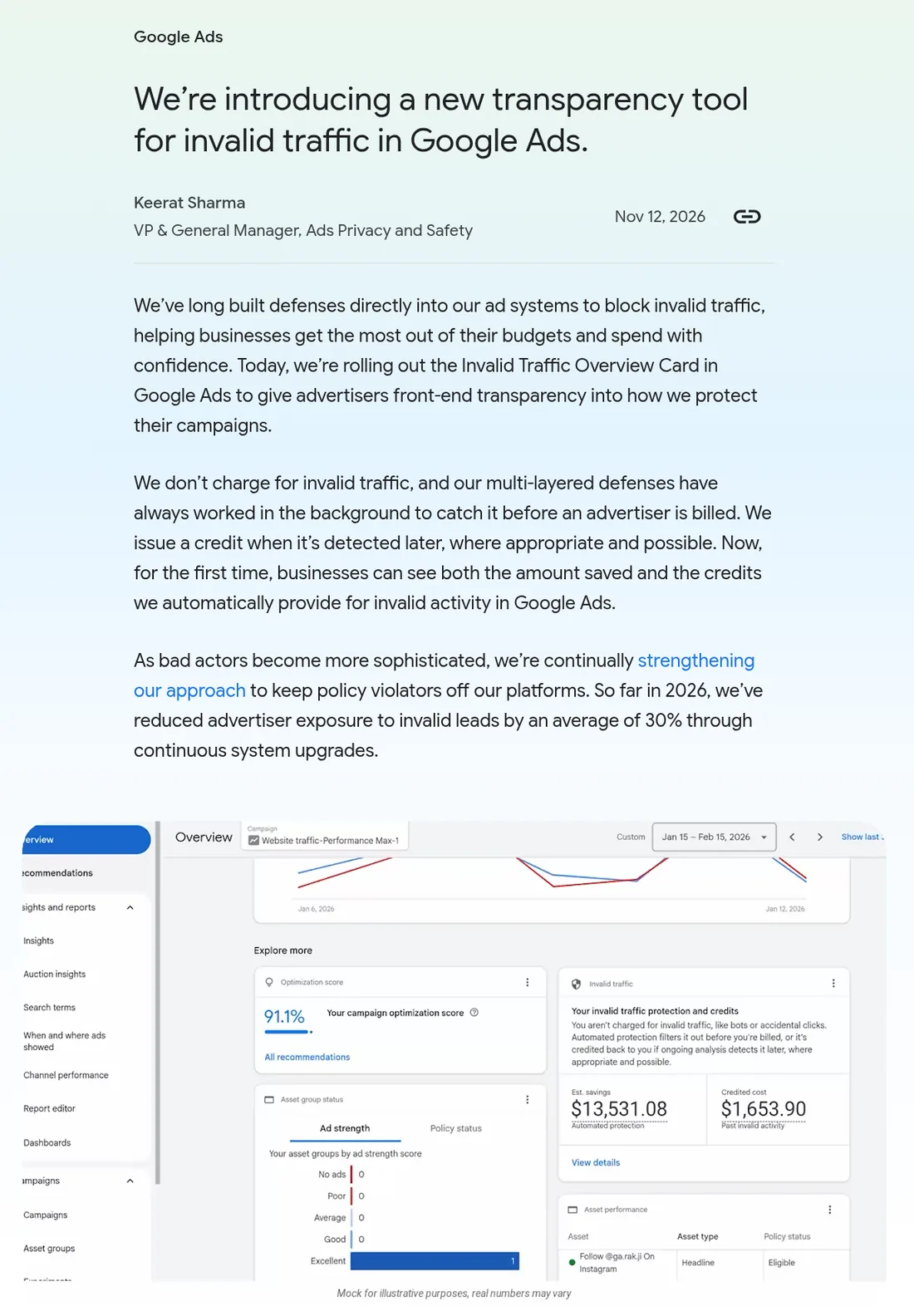
According to Search Engine Journal, the global rollout began that week and the card is also available in Search Ads 360 for Google Ads accounts. It is a gradual rollout, so if you don’t see it yet, check again in a few days.
What counts as invalid traffic in Google Ads
Google Ads Help (Invalid clicks: Definition) describes invalid clicks as clicks “that don’t represent a genuine interest in your business”, and gives three examples:
- Accidental clicks, caused by poor ad placement.
- Automated traffic from bots, automated tools or other deceptive software.
- Manual clicks that only increase your ad costs or inflate publisher profits.
Google says you are not charged for invalid clicks or impressions. When its systems decide clicks are invalid, they are filtered out of your campaign metrics and removed from billing. If Google finds invalid clicks after you were already billed, you get a credit on your next invoice “where appropriate and possible”.
The two numbers on the card
The card sits on the Overview page, under the Campaigns tab, and summarises the date range you select. It shows two figures, and they measure different things:
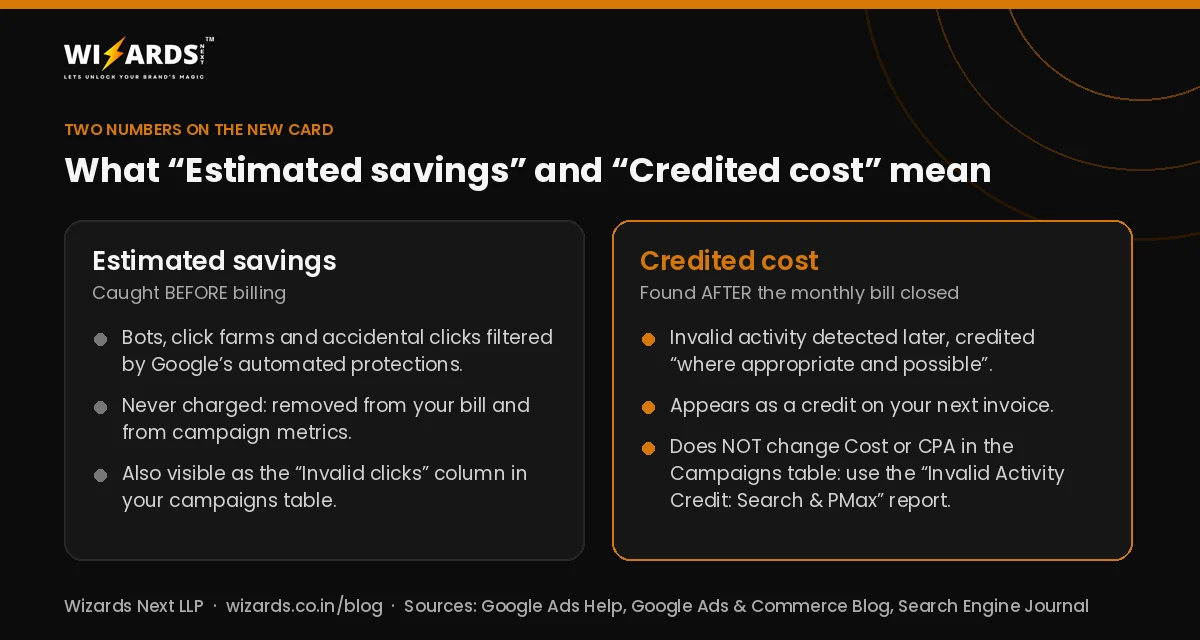
- Estimated savings: what Google estimates its automated filters and proactive reviews saved you by catching invalid activity before billing.
- Credited cost: credits applied to your account for invalid activity detected after a monthly billing cycle had already closed.
Clicking “View details” opens a daily trend chart and a campaign-level table, with downloadable reports and links to the invoices where credits were applied, as Search Engine Journal describes.
Why your cost per lead won’t change on its own
This is the part most reports get wrong. Google Ads locks campaign metrics at the end of each month so they match the invoice. If Google credits you later for invalid activity, the Cost and CPA in your Campaigns table do not change. To see Search and Performance Max costs with those credits taken off, Search Engine Journal points to a report in Report editor: Insights and reports > Report editor > Template gallery > Performance Summary > Invalid Activity Credit: Search & PMax. It includes columns such as Adjusted cost and Adjusted cost / conv.
Two more cautions. A campaign that spends more will usually show higher estimated savings simply because more traffic passes through Google’s filters, so compare patterns, not just rupee amounts. And the card only shows what Google’s systems classified as invalid. It cannot tell you how much may have gone undetected.
Junk leads are a separate problem
For many local businesses, the bigger worry is not bot clicks but fake form fills and wrong numbers. According to Search Engine Journal, Google’s Ginny Marvin addressed this in the Ads Decoded newsletter: bad leads can still come from legitimate clicks, or from submissions that never came from an ad at all. So a clean-looking invalid traffic card does not mean every lead is genuine.
The fix is on your side: compare the leads Google Ads reports with real enquiries in your CRM, call log or WhatsApp, and only count a qualified enquiry or sale as a conversion. If bidding learns from every form submission, it will happily chase cheap, low-quality ones.
What to do this week
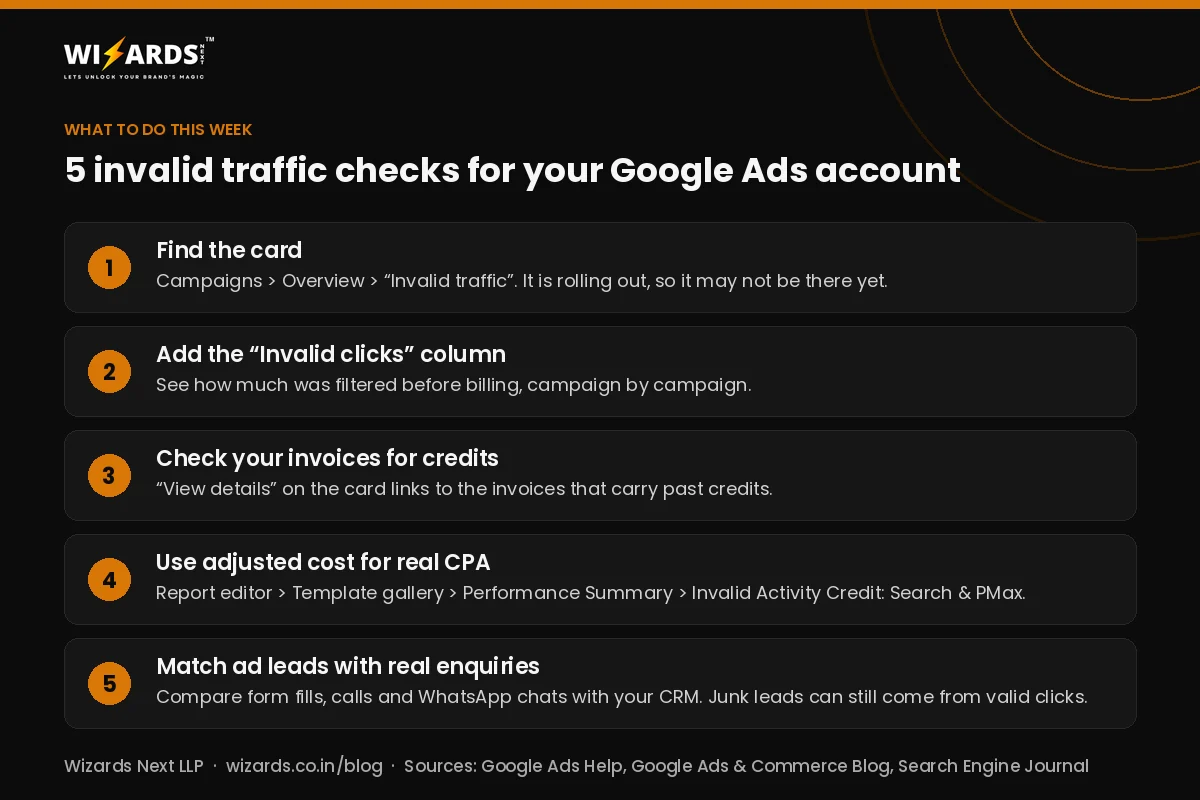
- Find the card. Campaigns > Overview > “Invalid traffic”. If it is not there yet, it is still rolling out.
- Add the “Invalid clicks” column to your campaigns table to see what was filtered before billing, campaign by campaign.
- Check your invoices for “Invalid activity” credits, using the invoice links under “View details”.
- Report adjusted CPA for Search and Performance Max with the Invalid Activity Credit report, especially in month-end client or management reports.
- Reconcile leads with real enquiries every week, and make sure your conversion action counts qualified leads, not just form views or button clicks.
Other updates this month
Advertising on Meta too? Read our note on the new Meta Pixel setting that measures conversions on customer devices. If enquiries come in on WhatsApp, see WhatsApp Business changes in November 2026. On the organic side, the Google November 2026 core update is the other big change to watch.
How Wizards can help
Our Google and Meta ads management and analytics and reporting teams set up conversion tracking that counts real enquiries and reconcile ad-reported leads with what actually reaches you. If you are in Varanasi, see our Google Ads agency in Varanasi and digital marketing agency in Varanasi pages. Or book a free call and we will go through your account’s invalid traffic and lead quality with you.
Frequently asked questions
What is the Invalid Traffic Overview Card in Google Ads?
It is a card on the Overview page (under Campaigns) that Google started rolling out on 12 November 2026. It shows Estimated savings, the invalid traffic Google filtered before billing, and Credited cost, credits for invalid activity found after a billing cycle closed, for the date range you select.
Do I pay for invalid clicks in Google Ads?
Google says you are not charged for invalid clicks or impressions. Invalid clicks caught before billing are removed from your bill and metrics. If Google finds invalid clicks after billing, it credits your next invoice where appropriate and possible.
Why didn’t my CPA change after Google credited invalid clicks?
Google Ads locks campaign metrics at month-end to match the invoice, so later credits do not change Cost or CPA in the Campaigns table. Use the Invalid Activity Credit: Search & PMax report in Report editor to see adjusted cost and adjusted cost per conversion.
Does the card explain fake leads from my ads?
Not fully. It only shows activity Google classified as invalid. Bad leads can still come from legitimate clicks or from submissions that did not come from an ad, so compare Google Ads leads with real enquiries in your CRM or call log.
Sources
- Google Ads & Commerce Blog: We’re introducing a new transparency tool for invalid traffic in Google Ads (12 Nov 2026)
- Google Ads Help: Invalid clicks: Definition
- Search Engine Journal: Google Ads Rolls Out New Invalid Traffic Overview Card (12 Nov 2026)
- Search Engine Roundtable: Google Ads New Invalid Traffic (IVT) Overview Card (12 Nov 2026)
Written by Ravi Khetan, Founder, Wizards Next LLP, a digital marketing agency in Varanasi. About us