
If you run Facebook or Instagram ads to an online store, the numbers in Ads Manager may look a little different this month. Meta has added a Meta Pixel setting called “Measure conversions on customer devices”, and it is switched on by default for eligible pixels. Events Manager shows the line “Measurement starting November 12, 2026” under the new toggle, as reported by PPC Land.
This post explains what the setting does, which websites it applies to, and the simple check we recommend before you change any budget. It is based on Meta’s Business Help Center articles and on trade-press reporting, and we have not added claims that Meta has not made.
What the new Meta Pixel setting does
Meta often knows that someone saw an ad, and separately receives a purchase from the Pixel, but cannot always connect the two. Meta’s help article gives the example of someone who sees a lamp ad on Instagram, visits the website two days later and buys it.
With the setting on, part of that matching happens on the customer’s own phone or computer, using information the customer already gave the business (such as an email address) together with temporary device information. According to Meta, it then receives only the fact that a purchase happened and which campaign should get the credit, not identifying customer information.
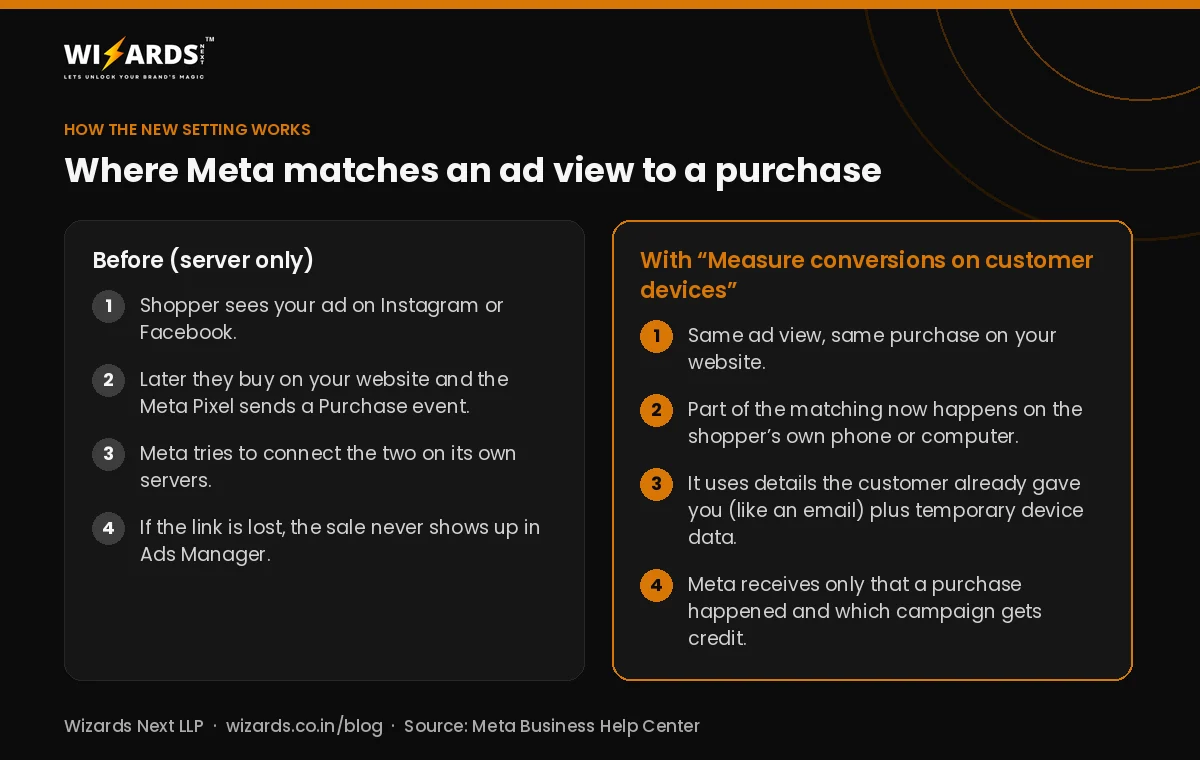
In the Events Manager panel, Meta describes it in two sentences: measurement “happens on your customer’s device instead of exclusively on Meta servers.” Trade-press coverage notes that the attribution window and attribution model do not change. What changes is which conversions Meta is able to see, not how they are credited.
Does it apply to your website?
Meta’s setup article lists clear conditions. As reported by Performance Marketing News and Measurebase, a pixel is eligible only when:
- The Meta Pixel is installed directly on the page, not inside an iframe and not as an image-only pixel.
- The website asks people to log in to an account with an email address or mobile phone number.
- The visitor is not located in the EU or UK, where Meta says the feature is not active. India is not on that exclusion list, so Indian websites that meet the other two conditions are covered.
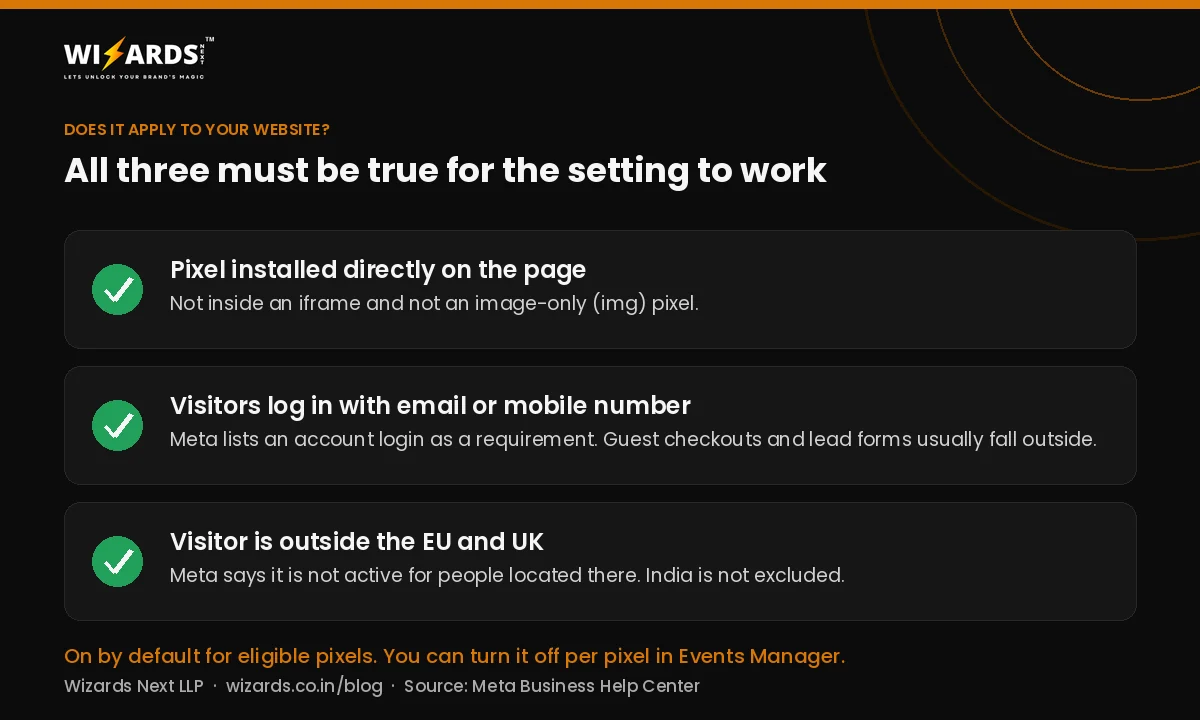
In practice, this matters most for online stores and subscription sites where customers sign in. If your ads send people to a lead form, a WhatsApp chat or a phone call (which is how most clinics, coaching institutes and local service businesses we work with get enquiries), the login condition is usually not met and you may see little or no change.
Why your reported conversions may go up
Meta says the feature recovers conversions that never made it back to Meta to be measured. So if your site is eligible, Ads Manager may start counting purchases it was missing before. That can be good news: sales your ads really drove finally get credited.
But a higher number in Ads Manager is not the same thing as more sales. A recovered conversion is a purchase that already happened and is now attributed to an ad. Meta has also not said publicly whether these recovered conversions feed bidding and optimisation or only reporting, as PPC Land points out. With the festive and year-end sale season on, that difference matters when you decide where to spend.
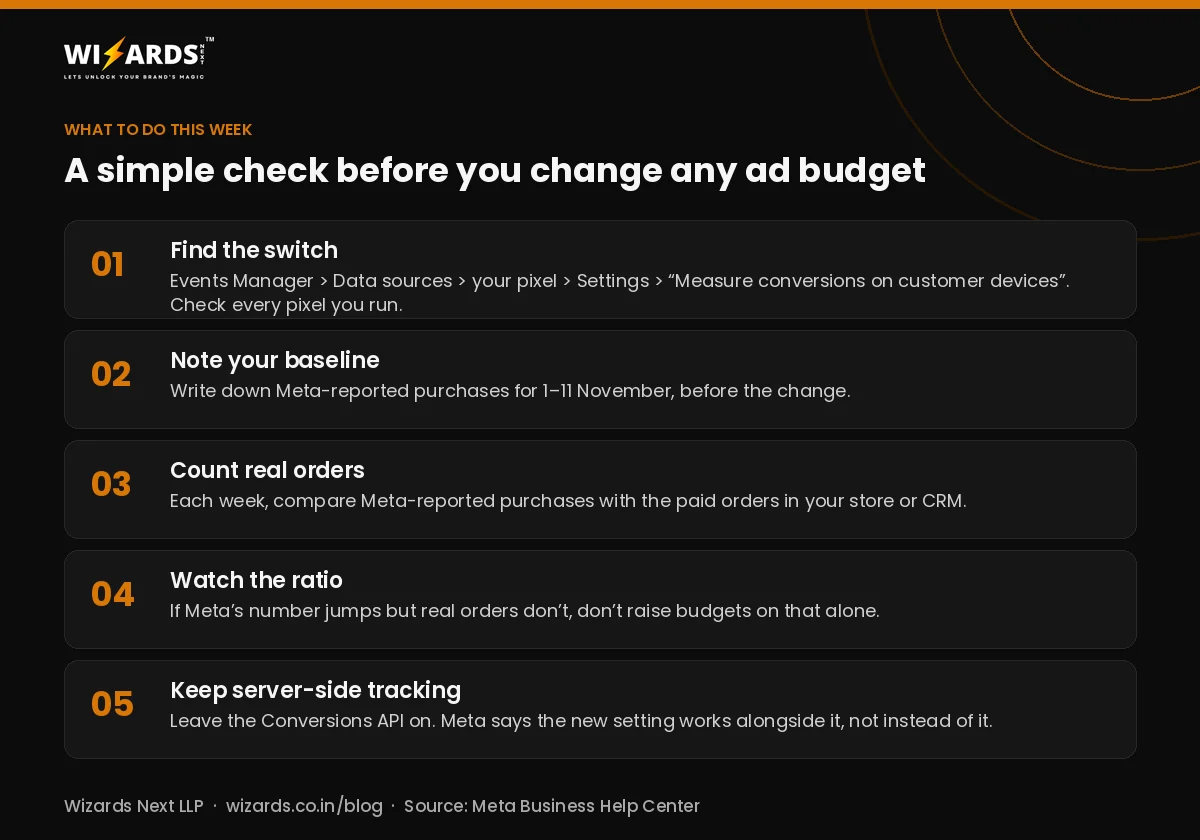
What to do this week
- Find the switch. In Meta Events Manager, go to Data sources, select your pixel, open Settings and look for “Measure conversions on customer devices”. The control is per pixel, so check every pixel you run.
- Note your baseline. Write down Meta-reported purchases for 1 to 11 November, before the change.
- Count your real orders. Every week, put Meta-reported purchases next to the paid orders in your store or CRM.
- Watch the ratio, not just the total. If Meta’s number jumps but real orders don’t, don’t raise budgets on that number alone.
- Keep server-side tracking on. Meta says the setting works alongside the Pixel and the Conversions API, not instead of them.
You can turn the setting off at any time. We don’t recommend switching it off by default. Keep it on, reconcile for a few weeks, and only turn it off if Meta’s numbers stop matching your real orders and you can’t find out why.
Other updates from this week
The Google November 2026 core update is still rolling out, and OpenAI’s new ChatGPT Business Hub lets some businesses claim a profile in ChatGPT. If you advertise on Meta, our guide to Meta Ads strategy covers the basics of setting up campaigns that are easy to measure.
How Wizards can help
Our performance marketing and Google and Meta ads management teams set up Meta Pixel and Conversions API tracking and reconcile ad-reported results with real orders and enquiries. If you are in Varanasi, see our performance marketing agency in Varanasi page. Or book a free call and we will look at your tracking setup with you.
Frequently asked questions
What is “Measure conversions on customer devices” in Meta Events Manager?
It is a Meta Pixel setting that matches some ad views to purchases on the shopper’s own device, using information the customer already gave the business and temporary device data. Meta says it receives only that a purchase happened and which campaign gets credit.
Is the setting on by default?
Yes. Meta says it is on by default for eligible pixels, and Events Manager shows measurement starting on 12 November 2026. You can turn it off for each pixel under Events Manager, Data sources, your pixel, Settings.
Does it apply to websites in India?
Meta says the feature is not active for people located in the EU and UK. India is not excluded, so Indian websites can be covered if the pixel is installed directly on the page and visitors log in with an email address or mobile number.
Will my Meta ad results look better?
Possibly. If your site is eligible, Meta may count purchases it was missing before, so reported conversions can rise without any change in real sales. Compare Meta-reported purchases with your actual orders before changing budgets.
Sources
- Meta Business Help Center: Measuring conversions on customer devices
- PPC Land: Meta Pixel will count more conversions from Nov 12 unless advertisers opt out
- Performance Marketing News: Meta Pixel conversions measured on customer devices
- Measurebase: Meta Pixel measures conversions on devices from 12 November
- Relevant Audience: Meta Pixel on-device conversion measurement explained
Written by Ravi Khetan, Founder, Wizards Next LLP, a digital marketing agency in Varanasi. About us