
If you run Google Ads for your business, one default is about to change. In a Google Ads Developer Blog post dated 21 October 2026, Google said that starting 4 December 2026, image extraction will be enabled by default for newly created Performance Max campaigns in Google Ads, Google Ads Editor and the Google Ads API. In the Google Ads interface this setting is called Performance Max landing page images.
The important part is the account setting. Google writes that the new campaign-level default applies “even if Dynamic Image Extensions are disabled at the account level.” Until now, a campaign with no setting of its own followed that account switch. Below is what this means in plain words, and what to check before you create your next campaign. Everything comes from Google’s own pages and the reports linked in the sources.
What Google announced
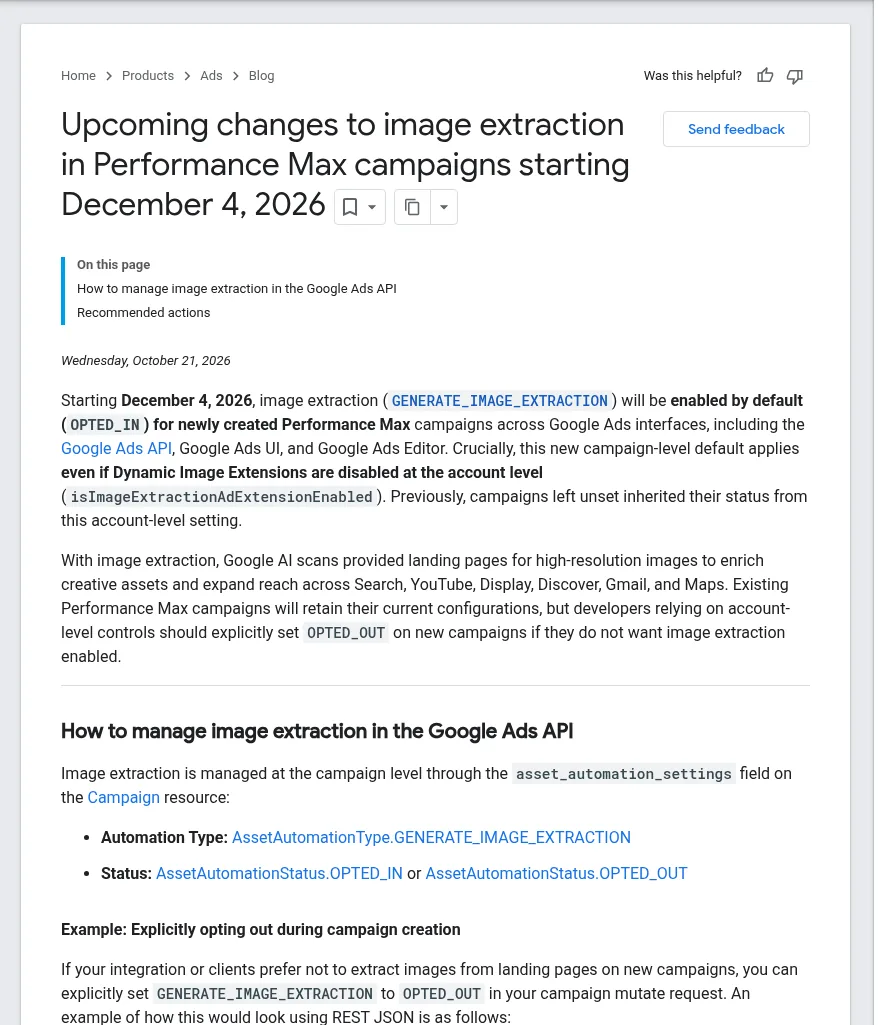
- What it does: with image extraction, “Google AI scans provided landing pages for high-resolution images to enrich creative assets and expand reach across Search, YouTube, Display, Discover, Gmail, and Maps.”
- Who is affected: only new Performance Max campaigns. Google says existing Performance Max campaigns keep their current configuration.
- Where: the Google Ads UI, Google Ads Editor and the Google Ads API.
- The account switch no longer decides it for new campaigns. If you do not want website images in a new campaign, you have to turn them off in that campaign.
PPC Land noted that the post uses two wordings, “starting December 4” and “created after December 4”, so it is not clear which rule applies to a campaign created on 4 December itself. If that matters to you, set the option yourself instead of relying on the default.
Before and after 4 December: what changes
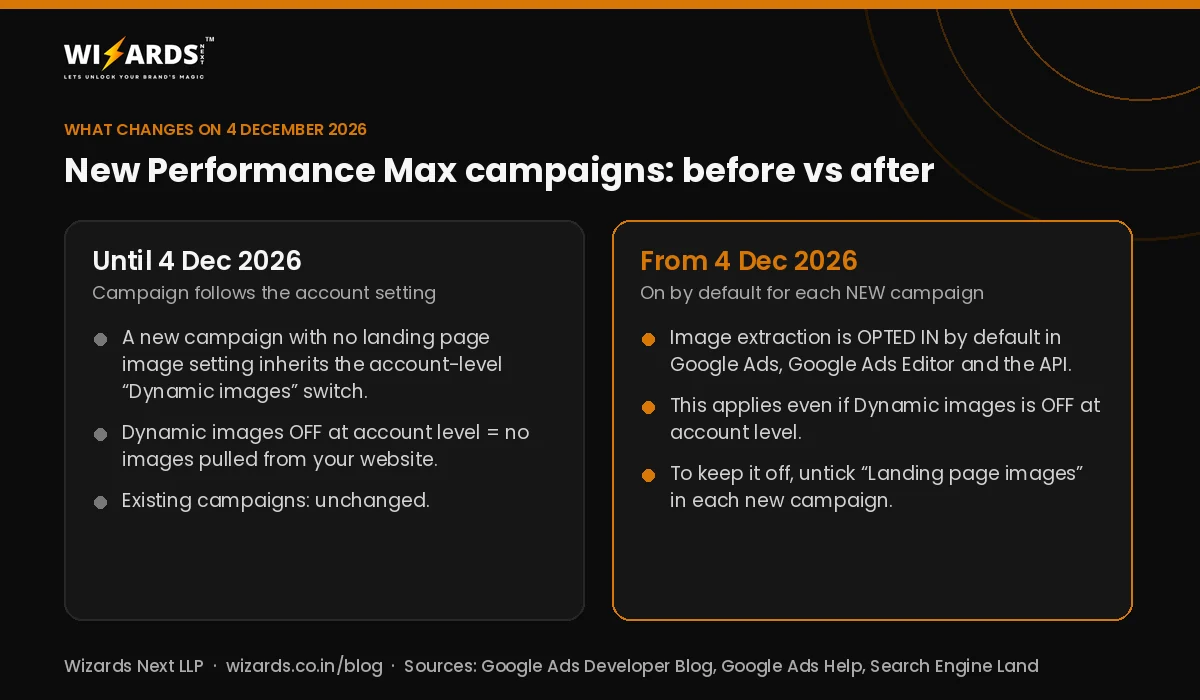
Many advertisers turned off Dynamic images at account level so that Google would not use photos from their website. For campaigns created from 4 December, that account switch is no longer a safety net. Google’s Developer Blog still shows where to find it (Campaigns > Assets > three-dot menu > Account-level automated assets > Advanced settings), but the decision now sits inside each new campaign.
This came alongside two new asset optimisation options in Performance Max. Search Engine Land reported on 22 October 2026 that Landing page images and Sourced videos now appear in the campaign’s asset optimisation settings, and that the advertiser who spotted them found Sourced videos switched on automatically. Search Engine Land also reported that Google’s interface says ads using image or video assets optimised by these features will be labelled as created or edited with AI when shown in the European Union, India and New York state.
Why image rights matter for Indian businesses
Google’s Help Center page Opt in or out of Performance Max landing page images says that when you opt in, “you’re confirming that you own all legal rights to the images on your landing page and have permission to share them with Google for use on your behalf in advertising or other commercial purposes.” With the new default, that confirmation can apply to a new campaign even if you never ticked the box yourself.
Think about what is actually on your landing pages: stock photos bought for website use, photos of customers or patients, product shots supplied by a brand you resell, old festival offers. If you are not sure you may use an image in an advert, either remove it from the page you send ad traffic to or keep landing page images off for that campaign. This is a practical check, not legal advice.
Google also says extracted images go through automated and manual quality checks, and that you may not get landing page images at all if Google cannot find a suitable one. So good, clear photos that you own are the ones most likely to be used.
How to turn Performance Max landing page images on or off
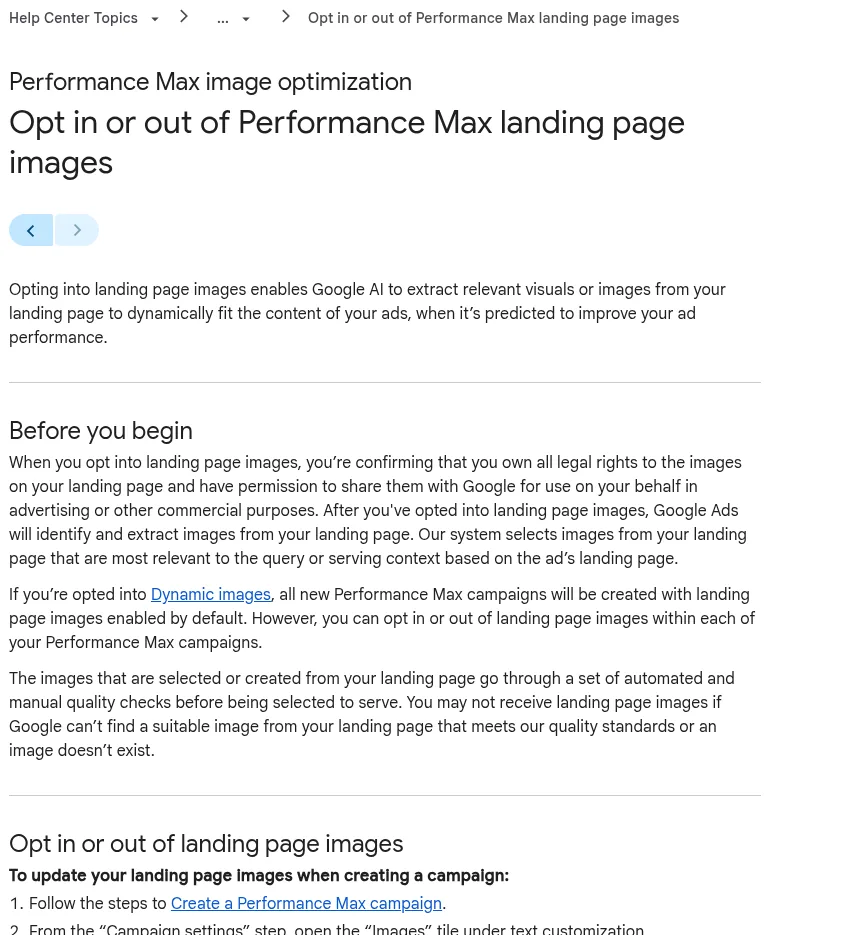
According to Google Ads Help:
- When creating a campaign: in the “Campaign settings” step, open the “Images” tile and check or uncheck Landing page images.
- In an existing campaign: Campaigns > gear icon beside the campaign > Settings > Asset optimization > “Images” tile > check or uncheck Landing page images, then save.
- Using the API or a tool: Google’s Developer Blog says to set GENERATE_IMAGE_EXTRACTION to OPTED_OUT in the campaign’s asset automation settings when you create it. Google warns that this field is a list, so an update must include your other automation settings (such as text) or they can be cleared.
Checklist: 5 checks before your next Performance Max campaign
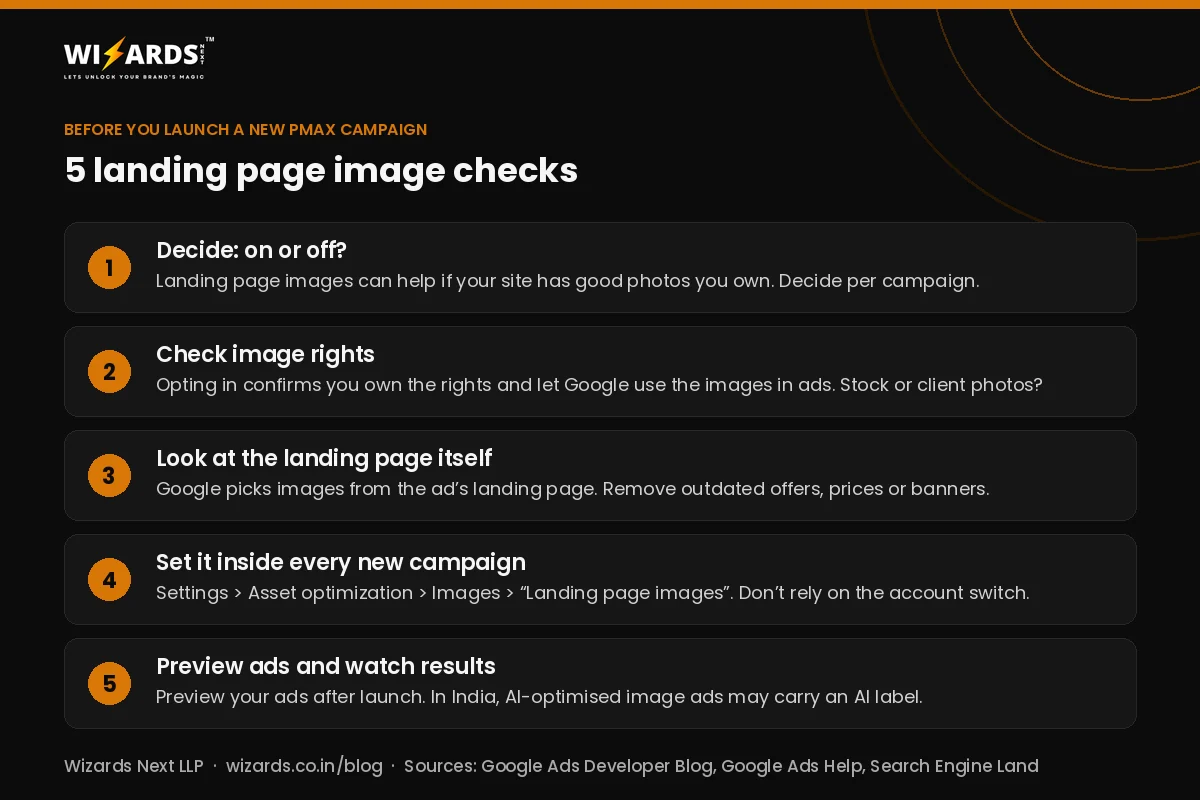
- Decide per campaign. If your website has good photos you own, landing page images can give Performance Max more creative to work with. If not, switch them off.
- Check image rights on the landing page you will use in the ad, as described above.
- Clean up the landing page. Google picks images from the ad’s landing page, so remove expired offers, old prices and banners you would not want in an ad.
- Set the option inside every new campaign created from 4 December. Do not rely on the account-level Dynamic images switch.
- Preview your ads and watch results after launch, and remember that AI-optimised image ads shown in India may carry an AI label.
If an agency runs your account, ask them which setting they will use on new campaigns from 4 December and why. Our Google Ads and Meta Ads management team sets this per campaign for our clients, and our Google Ads agency in Varanasi page explains how we plan local campaigns. For a broader plan, see our performance marketing agency in Varanasi and digital marketing agency in Varanasi pages, or book a free call.
Related reading: the new Google Ads invalid traffic card and Meta Pixel measuring conversions on customer devices.
Frequently asked questions
What are Performance Max landing page images?
It is a Performance Max setting that lets Google AI pick images from your landing page and use them in your ads across Search, YouTube, Display, Discover, Gmail and Maps. Google calls the same feature image extraction in the Google Ads API.
Will my existing Performance Max campaigns change on 4 December 2026?
Google says no. Existing Performance Max campaigns keep their current configuration. The new default applies to newly created campaigns.
I turned off Dynamic images for my account. Am I safe?
Not for new campaigns. Google says the new default applies even if Dynamic images (Dynamic Image Extensions) is disabled at account level, so untick Landing page images inside each new campaign if you do not want it.
How do I turn off landing page images in Performance Max?
In Google Ads, open the campaign, select the gear icon, go to Settings > Asset optimization, open the Images tile, uncheck Landing page images and save. You can also uncheck it in the Campaign settings step while creating a campaign.
Sources
- Google Ads Developer Blog: Upcoming changes to image extraction in Performance Max campaigns starting December 4, 2026 (21 Oct 2026)
- Google Ads Help: Opt in or out of Performance Max landing page images
- Search Engine Land: Google Ads adds new image and video sourcing options to Performance Max (22 Oct 2026)
- PPC Land: Google turns on PMax image extraction by default from December 4
Written by Ravi Khetan, Founder, Wizards Next LLP, a digital marketing agency in Varanasi. About us